admin
This post was sponsored by Writesonic. The opinions expressed in this article are the sponsor’s own.
When shoppers ask ChatGPT or Google what to buy, answers often come back as product cards with prices, ratings, and “buy now” links. AI writes those cards from data spread across the web, but few brands know how those cards position their products.
That’s a risky blind spot to have heading into the holidays. Adobe forecasts AI traffic to US retail sites will grow 130% this holiday season.
AI shopping results usually go wrong in three ways. Your product doesn’t show up, it shows up with the wrong details, or a competitor or reseller gets the final click instead of you. The good news is that these errors trace back to product data you control.
This guide covers what these results look like, why they go wrong, and how to audit your own products.
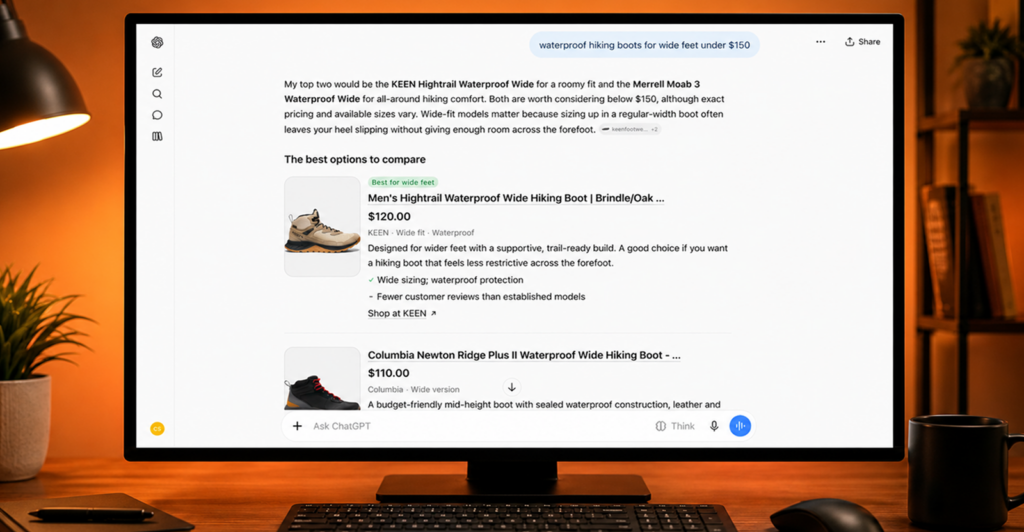
AI shopping results are product recommendations that appear inside an AI answer. They’re usually triggered by a specific buying question, like “waterproof hiking boots for wide feet under $150.”
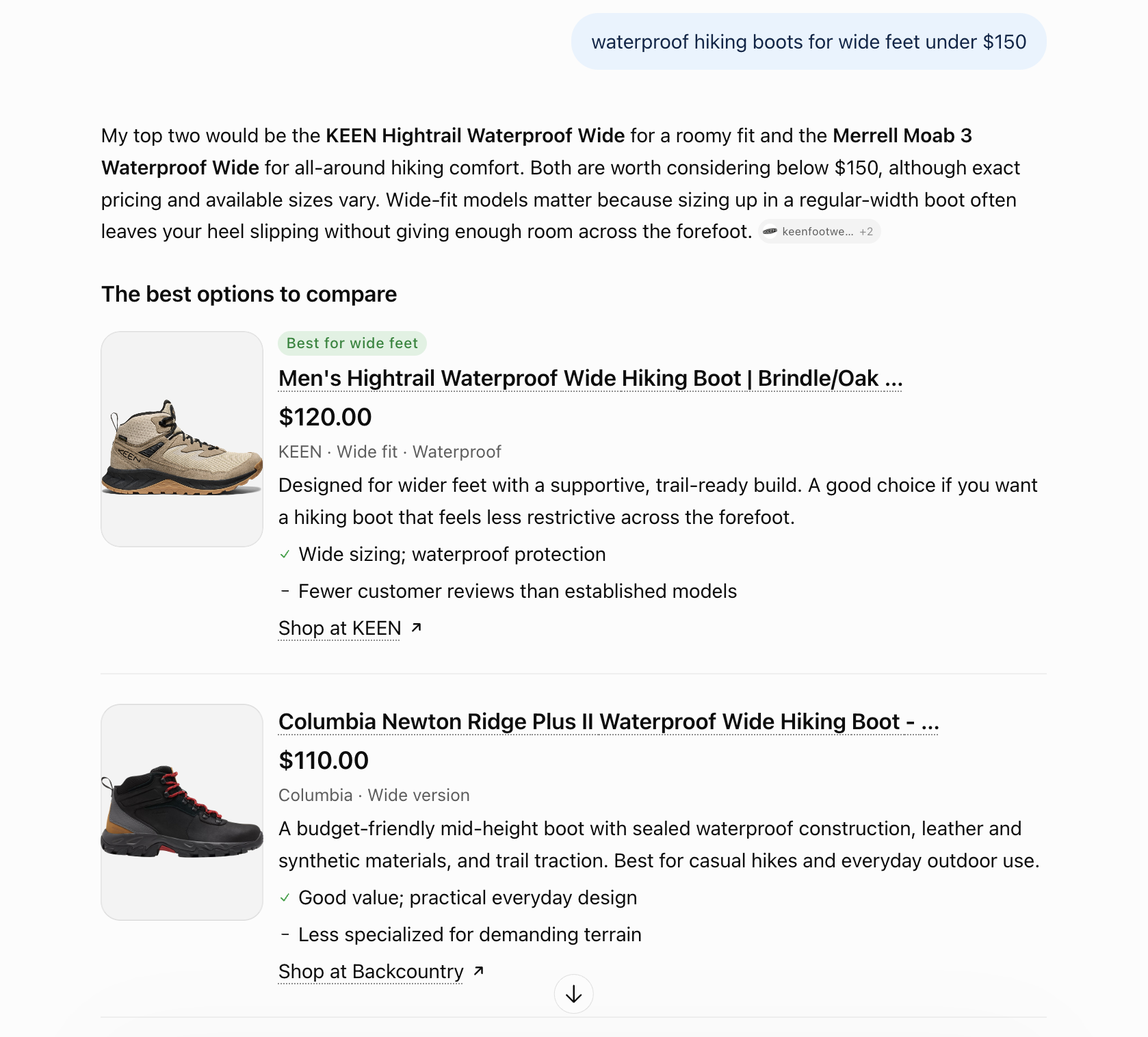
A single result often includes:
- Product name and image
- Current price and star rating
- A short “why it fits” rationale
- One or more merchant links
- A summary of what buyers say
ChatGPT Shopping
In March 2026, OpenAI expanded its Agentic Commerce Protocol (ACP) to cover product discovery. Merchants now share product feeds through ACP so their catalogs appear in ChatGPT.
Retailers like Target, Best Buy, and Wayfair are already integrated. Shopify merchants flow in through Shopify Catalog.
OpenAI dropped in-chat Instant Checkout in March 2026 and now lets merchants run checkout on their own sites. ChatGPT helps you get the shopper, but your product page still has to close the sale.
Google AI Overviews
AI Overviews now show product cards for many shopping searches, drawing on Google’s Shopping Graph. Merchants add their products mainly by uploading feeds to Google Merchant Center. Google says the Shopping Graph holds over 50 billion product listings.
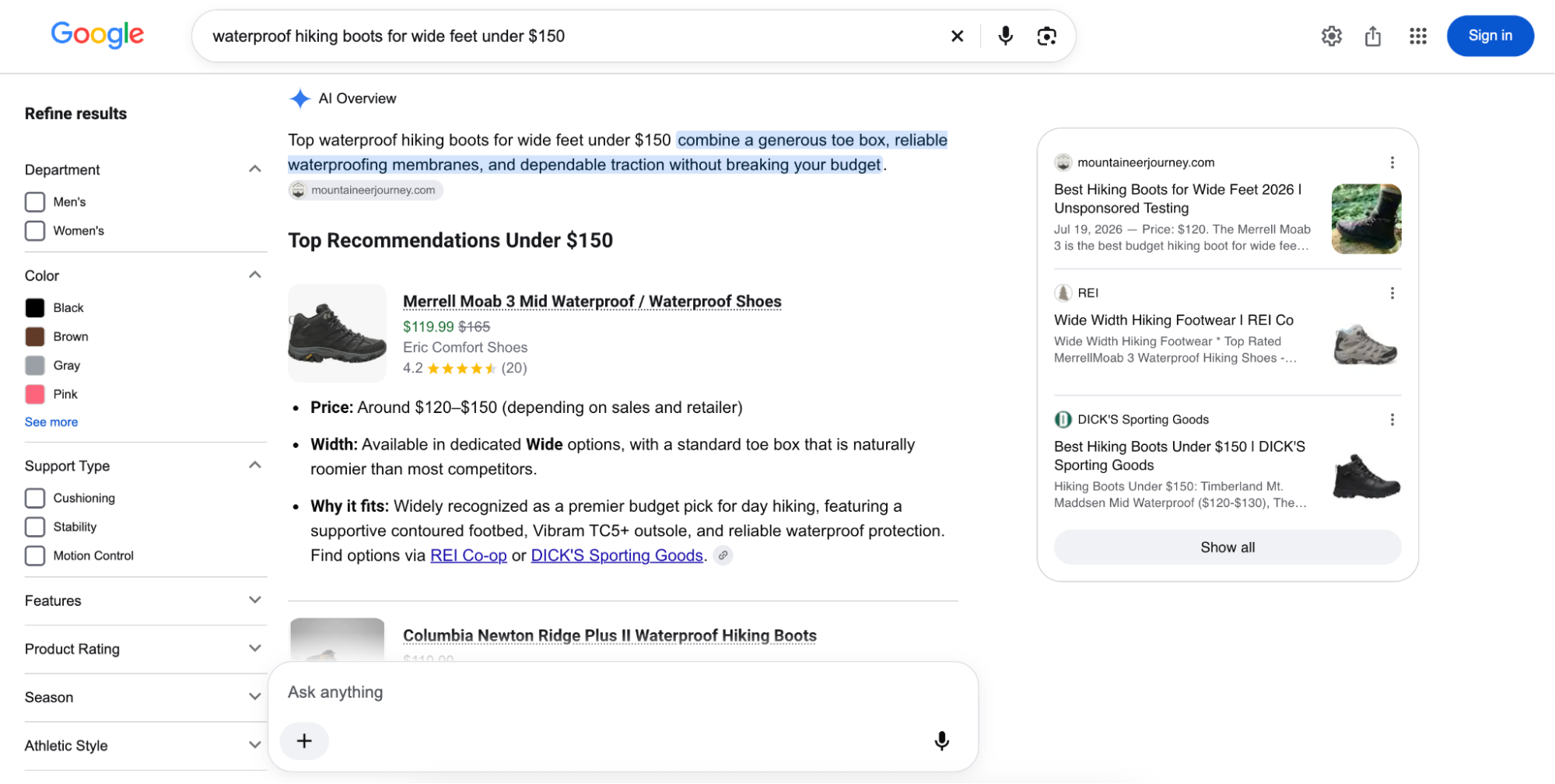
AI Mode and Gemini use the same Shopping Graph, and Google is rolling out agentic checkout there too. In this scenario, Google’s agent buys a tracked item with Google Pay once the shopper confirms. To qualify, merchants need a Merchant Center account and a Universal Commerce Protocol (UCP) integration.
| Platform | Where product data comes from | What the result looks like | Where the click goes |
| ChatGPT Shopping | Merchant feeds via ACP, Shopify Catalog, third-party product data providers, and reviews from public websites | Product cards, side-by-side comparisons, and search by uploaded photo | Merchant site, via an in-app browser |
| Google AI Overviews | Shopping Graph and Merchant Center feeds | Product cards with price and ratings, inside regular search results | Merchant site |
Find The Product Errors That Can Send Shoppers Elsewhere
The most common AI shopping issues fall into three groups.
Missing Products Or Lower Positions
- Missing products: Your best-selling jacket never appears for “warmest winter jacket under $300.” A competitor product shows up there instead.
- Ranked below competitors: You show up for “best espresso machine for beginners,” but in fourth place, below three competitive products the answer recommends first.
Wrong Prices, Variants, Or Specs
- Outdated price or stock: A card shows your blender at $129 when it’s listed at $99 for Black Friday. It may also list a sold-out color as in stock.
- The wrong SKU for the use case: A prompt asks for a trail running shoe, and AI recommends your everyday running shoe.
- Inaccurate specs or review summaries: AI says your laptop gets eight hours of battery life when it gets 14. Its review summary might also repeat a fringe complaint you fixed a year ago.
An Unexpected Merchant Gets The Buy Link
- Links to resellers: Your product ranks first in the card, but the buy link goes to a marketplace seller. That isn’t always bad. If Zappos wins the link more often than your own site, that tells you where to invest.
Most brands find these issues by accident. Someone runs a prompt, sees a wrong price, and fixes that one product. Hundreds of other prompts go unchecked.
Audit Your Best Sellers And Prioritize The Biggest Problems
The audit takes four steps.
Build Buying Prompts From Your Catalog
- Build a prompt set from your catalog. Group prompts by category, use case, budget, and gift scenario. Product names alone won’t tell you much, so write prompts like “best stroller for city walks under $500.”
Record The Offer And Merchant Link On Each Platform
- Run every prompt on ChatGPT, AI Overviews, AI Mode, and Gemini. Use a logged-out session so past chats don’t skew results.
Compare Competitors And Rank The Fixes
- Compare against competitors. Record which brands appear in prompts where you’re missing. Those are the spots you’re losing.
- Prioritize fixes by revenue impact. Start with best sellers and high-margin categories. A wrong price on your top product matters more than a missing accessory.
Fix Product Data So Shoppers Can Evaluate The Right Offer
Errors trace back to one of four inputs.
The common thread is consistency. When your feed, product page, and retailer listings disagree on price, stock, or naming, AI has to pick one. It doesn’t always pick right.
Some quick wins before Black Friday:
Align Prices And Stock Across Feeds, Pages, And Listings
An analysis reported by Search Engine Journal tracked ChatGPT product picks that came from integrated feeds. In one day in July 2026, their share went from 8.26% to 61.54%. Of 517 tracked stores with visibility swings of 33% or more, 450 saw drops.
Merchant variety shrank too. The top 10 merchants’ share of references grew from 22.5% to 41.8%. Stores without a connected feed now risk losing picks they used to win.
Your product also lives on Amazon, Walmart, Target, and other retailers. Each listing can show a different price, title, or stock status. AI may link to whichever one looks most complete.
- Fix price and stock mismatches across your feed, site, and retailer listings
Clarify Product Identity With Schema And Identifiers
Product schema, plus identifiers like Global Trade Item Number (GTIN), manufacturer part number (MPN), brand, and variant, tells AI exactly which item it’s looking at. Without them, AI can mix up models, sizes, and colors.
- Fill in missing GTINs, MPNs, and variant data
Make Use Cases And Review Information Current
AI leans hard on what third-party websites say about your brand and products. Writesonic’s June 2026 study of 2,000+ brands found YouTube or Reddit mentions made a brand about three times more likely to show up in AI answers. Mentions on its own site raised that just 1.3 times.
- Refresh gift guides and top product pages around use cases
- Ask recent buyers of your best sellers for fresh reviews
Recheck Your Fixes And Monitor The Products That Matter
Manual audits break down fast. Each check is only a snapshot, and AI answers change constantly.
Repeat The Same Checks And Keep An Error Log
Results vary by platform, region, and day, so rerun the same prompts over time. Daily checks give you the most accurate picture. Audit at the category level too, because a brand can dominate headphones and be invisible in speakers. How do you do this? A strong AI Visibility platform will help you collect, understand and action this data.
Writesonic’s study of 631,999 prompt runs across seven AI platforms found the top-ranked brand in ChatGPT rotated on 52% of prompts when the same prompt was rerun.
Use Writesonic To Scale Shopping Monitoring
Writesonic’s AI Shopping Tracker automates those checks daily across ChatGPT and Google AI Overviews. It also shows how often your prompts trigger shopping results at all, which manual audits miss.
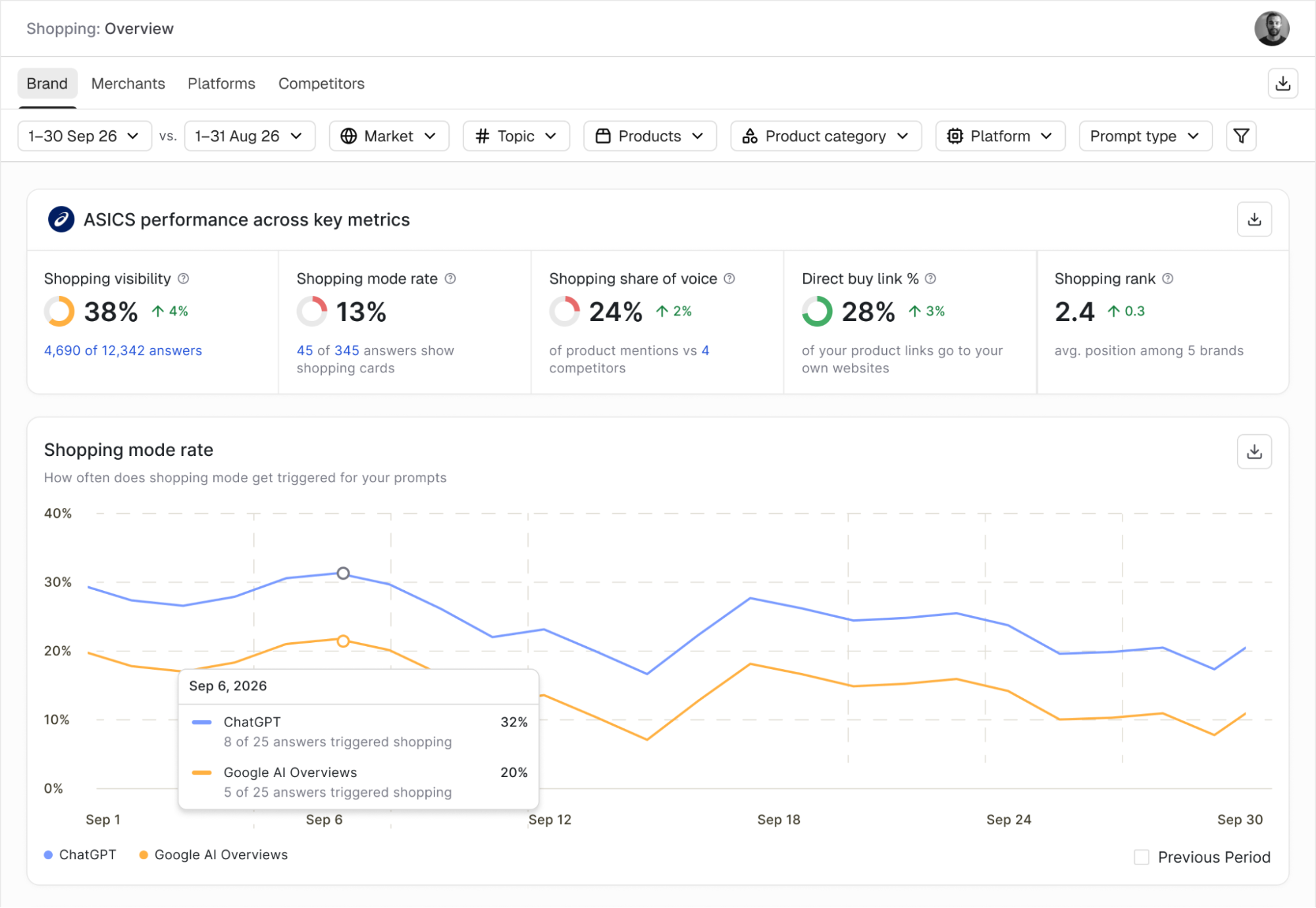
It maps directly to the problems covered above:
- Missing or buried: Shopping Visibility and Shopping Rank show how often your products appear in shopping answers and where they rank against competing brands.
- Wrong product details: The All Products view lists the average price AI shows for each product, so you can spot mismatches.
- Another site gets the click: The Merchants view shows which retailers get the buy links for your products, and how often the link goes to your own site.
Any tracker only sees the prompts you give it, so the prompt set from your audit is the foundation. Start with your best sellers and the categories you can’t afford to lose this season.
The brands that check what AI says about their products, and fix the data behind it, will own these product cards. Everyone else is letting a model decide how their products are shown.
Image Credits
Featured Image: Image by Writesonic. Used with permission.
In-Post Images: Images by Writesonic, Used with permission.